About Office Shredder
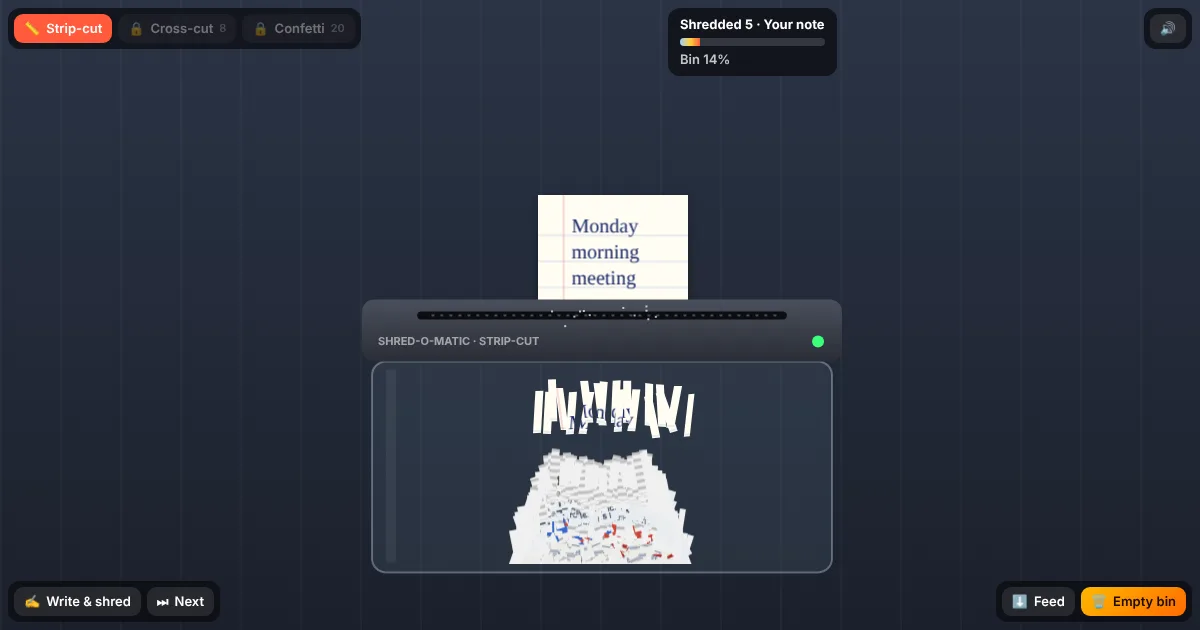
There is a reason people find paper shredders oddly satisfying: you feed something in, it disappears with a grinding crunch, and a pile of strips slowly grows in the bin. Office Shredder recreates that small pleasure in your browser, with a desk full of the paperwork everybody loves to hate.
Drag each document into the slot and the machine takes over. Memos about circling back, an overdue invoice, a Q3 report with a chart that only goes down, a performance review, ninety-four pages of terms and conditions and a sticky note that says "per my last email". Every piece of paper is cut into real strips that tumble into the see-through bin and pile up, and the printed text and colours stay visible in the shreds.
You can also write your own note. Type whatever is bothering you, from a deadline to a Monday morning meeting, and it lands on the desk as a handwritten page for you to shred. Nothing you write is saved or sent anywhere. Shred enough paper to unlock cross-cut and confetti blades, and empty the bin whenever it fills up.
Still angry at your inbox? Destroy the whole desktop in Office Wrecker.
How to play
- Press Start shredding. A document appears on the desk above the shredder.
- Drag it down into the slot, or simply tap it, and the shredder pulls it through.
- Watch the strips fall into the bin. A new document arrives as soon as the last one is gone.
- Press Write & shred to type your own note and shred it.
- When the bin is full, press Empty bin and keep going.
Controls
| Action | Control |
|---|---|
| Shred a document | Drag it into the slot |
| Feed it in automatically | Tap the paper, the Feed button, or Space |
| Shred your own note | Write & shred button |
| Next document | Next button or N |
| Empty the bin | Empty bin button or E |
Tips & tricks
- Turn the sound on. The crunch changes with each document, and cardboard sounds noticeably heavier than a sticky note.
- Cross-cut unlocks after 8 items and confetti after 20. Confetti makes the most colourful pile.
- Writing down a worry and shredding it is a small ritual many people find calming. Keep it short so it fits on the page.
Features
- Eight kinds of office paperwork, from sticky notes to cardboard boxes
- Real shreds: the printed text and colours stay visible in every strip
- Strip-cut, cross-cut and confetti blades
- Write your own note and shred it (nothing is saved or sent)
- Procedural shredder sounds and haptics on supported phones